Visit https://www.crohnscolitiscare.com/
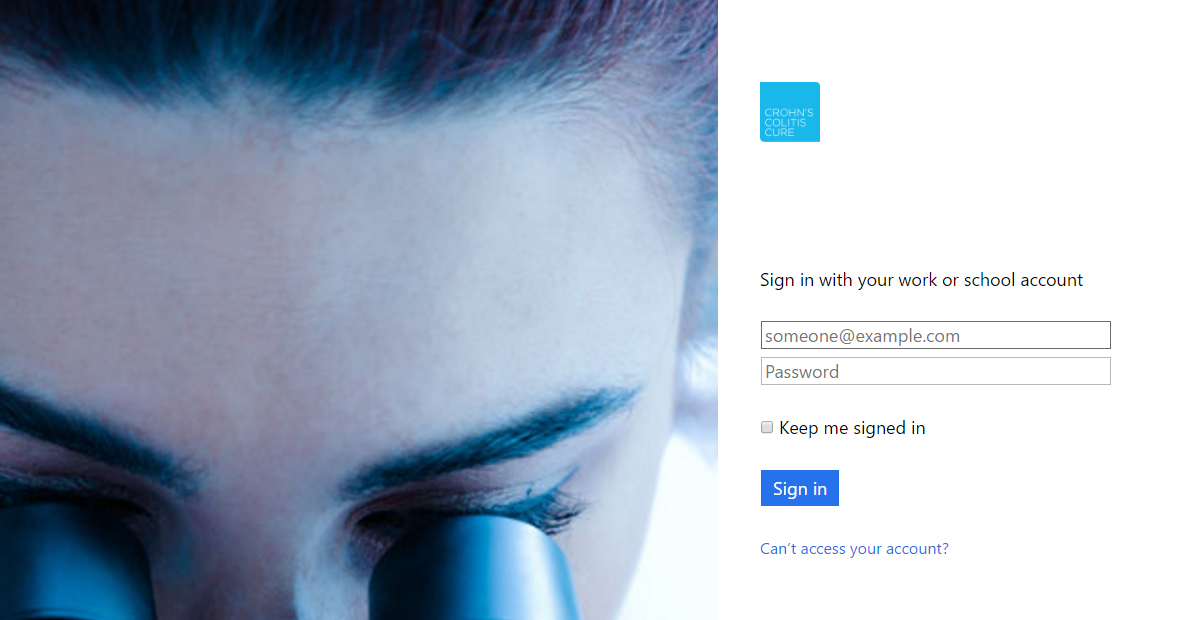
Log into the Crohn's Colitis Care page with you email address and password.
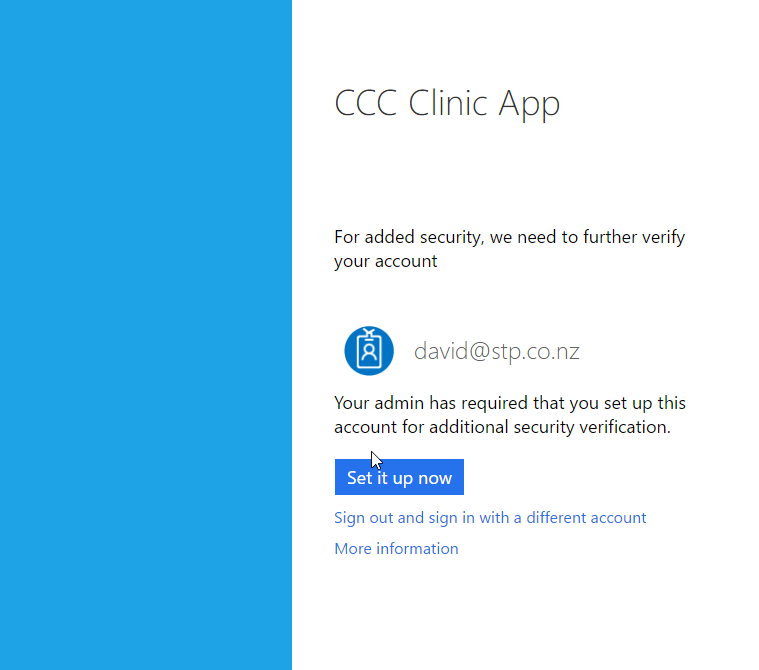
The first time you login you will need to set up multi-factor authentication. This is an additional security measure to validate you are who you say.
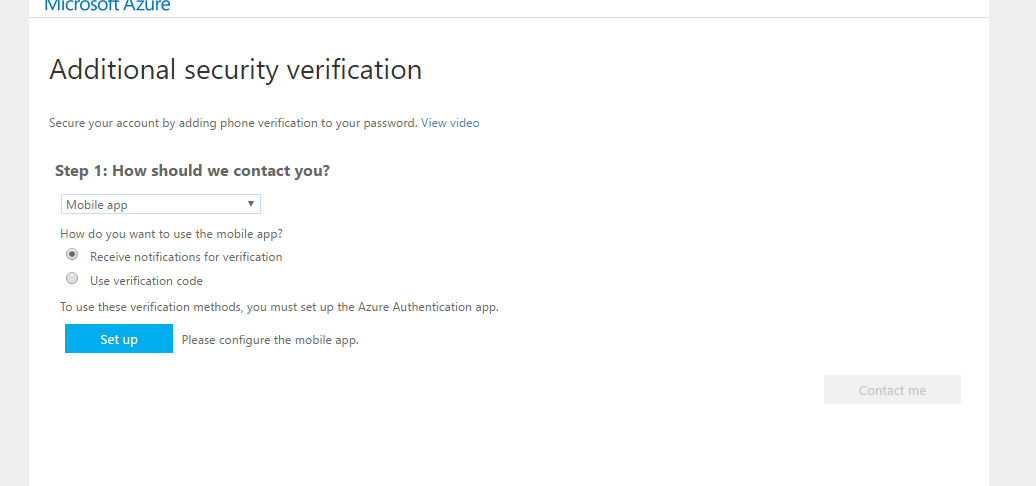
The quickest and simplest method to do multi-factor authentication is with an applications that you install on your mobile phone.
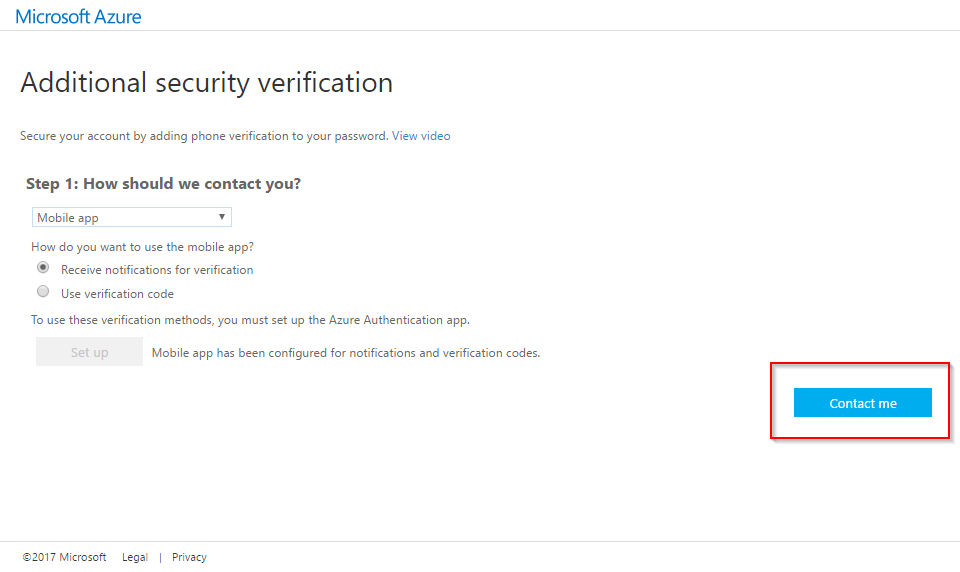
You have the option to select a default method:
- Receive notifications for verification, this will send you a notification on your phone that you can click on to verify yourself. This is the easiest method but does rely on you having access to a mobile phone network.
- Use verification code, you will be prompted to enter a verification code on the website. The verification code will be provided by the application on the device. The code is constantly changing for security reasons. This method can be used without a connection to a mobile network.
In one of the methods is not accessible you will be able to select an alternative method to use.
You will now be given instructions on how to set up the mobile app on your phone.
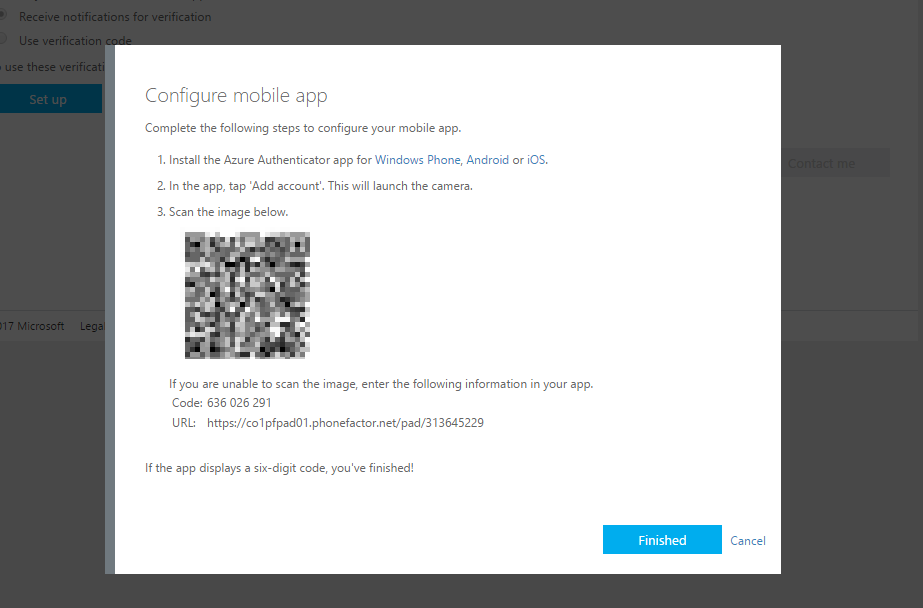
Once you have finished this step you will be taken back to the Additional Security Verification screen where you need to click on the Contact Me button which is now enabled.
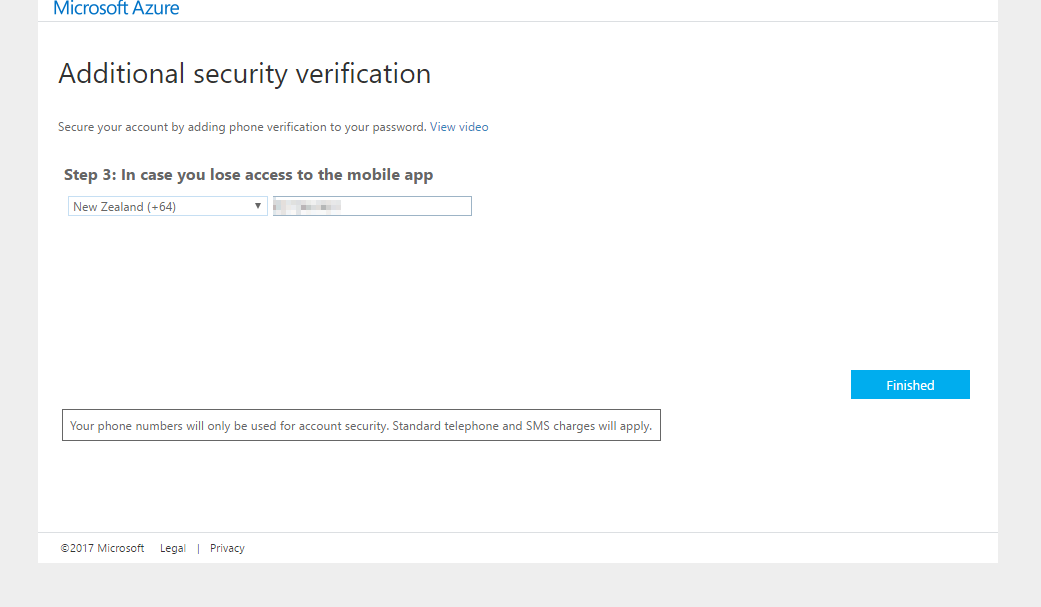
You will be prompted to enter your phone details in case you lose the mobile application.
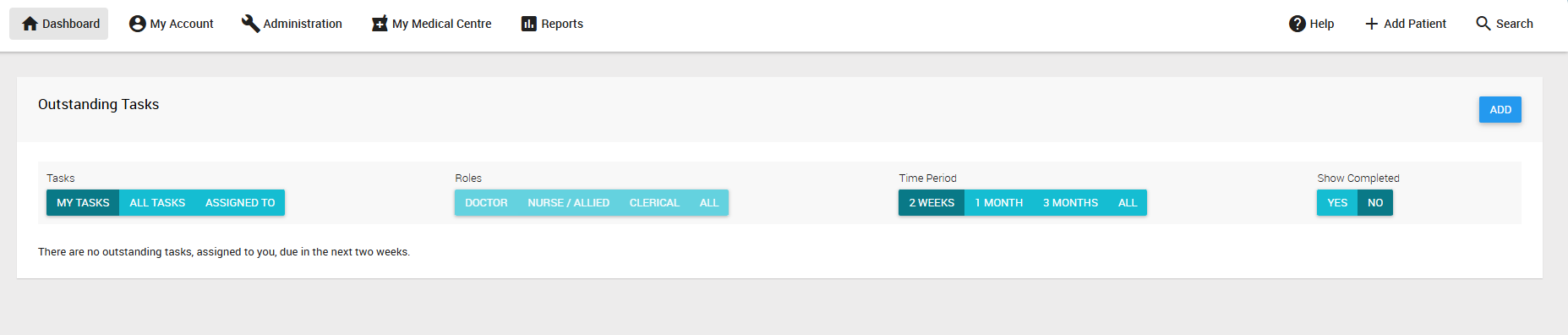
Once you've completed this process you should now be logged in and greeted with the dashboard!
Was this article helpful?
That’s Great!
Thank you for your feedback
Sorry! We couldn't be helpful
Thank you for your feedback
Feedback sent
We appreciate your effort and will try to fix the article