This will tell you all you need to do to add a new patient to the database.
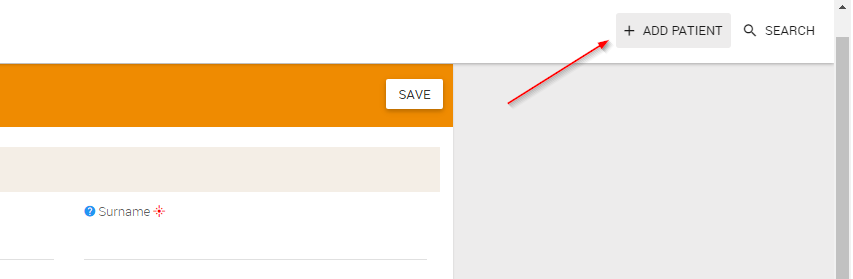
Once you have clicked on the button you will be able to add a new patient.
This is what you should now see:

Click ADD
This should take you to the Patient Details - Overview
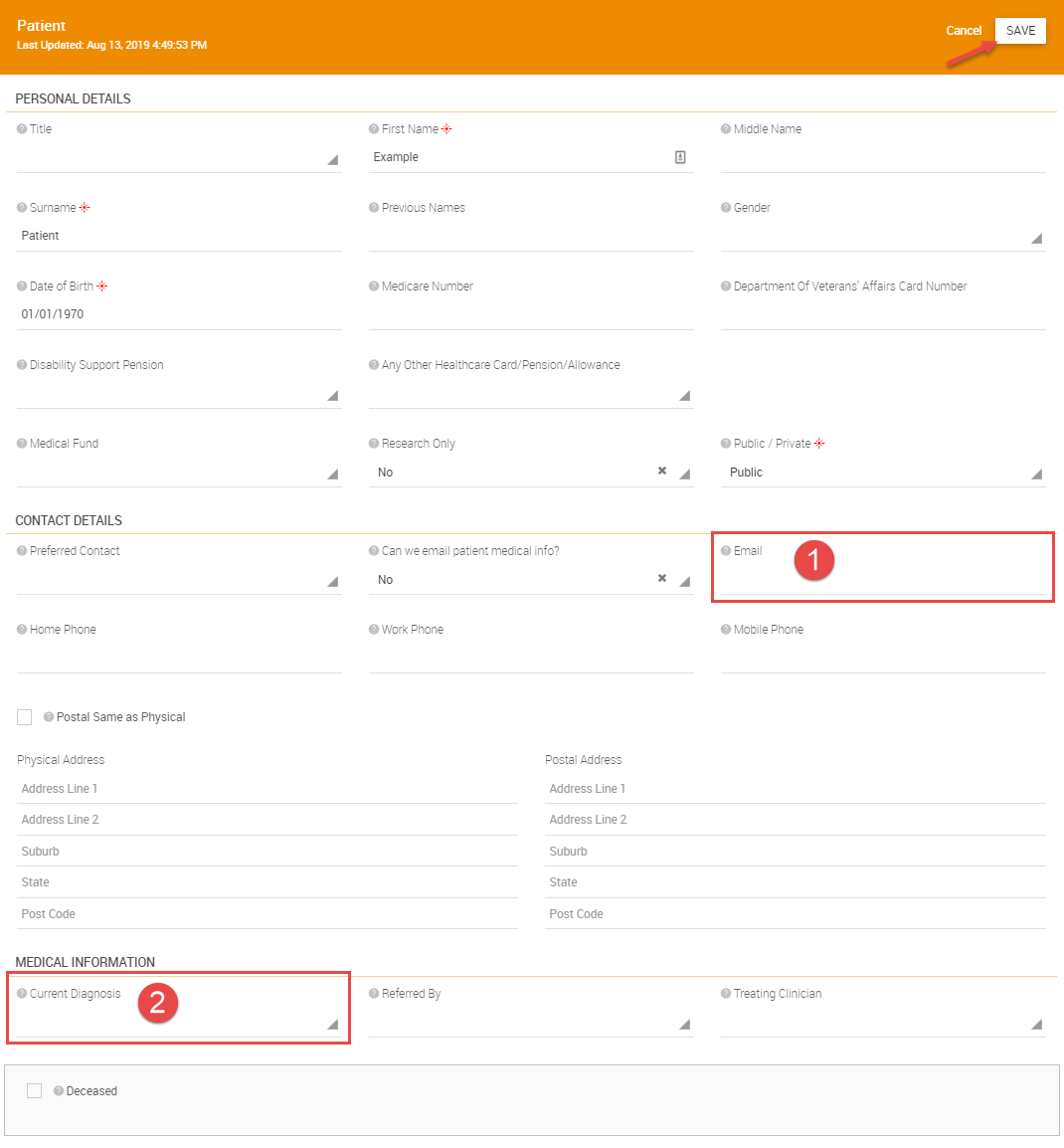
Note:
1. Adding Patient email address here automatically sends an email inviting the patient to register on CCCare Patient Portal
2. Current (or most recent) clinical diagnosis as per treating clinician
Click SAVE.
Was this article helpful?
That’s Great!
Thank you for your feedback
Sorry! We couldn't be helpful
Thank you for your feedback
Feedback sent
We appreciate your effort and will try to fix the article